Flash Flight Simulator
Introduction: Master the Skies
Flash Flight Simulator delivers high-speed action and physics-driven aviation across open skies and tense survival routes.
From the moment your aircraft rolls onto the runway and climbs into open space, Flash Flight Simulator challenges your piloting instincts with aerodynamic factors like lift, drag, and shifting air pressure. Whether you prefer the relaxed freedom of wide exploration paths or the intense reflex demands of evading heat-seeking missiles, the Flash Flight Simulator Game balances high-speed decision-making with responsive, physics-driven flight mechanics. Success in Flash Flight Simulator requires sharp handling, managing altitude shifts, and the ability to stay airborne against the constant threat of stalls and crashes.
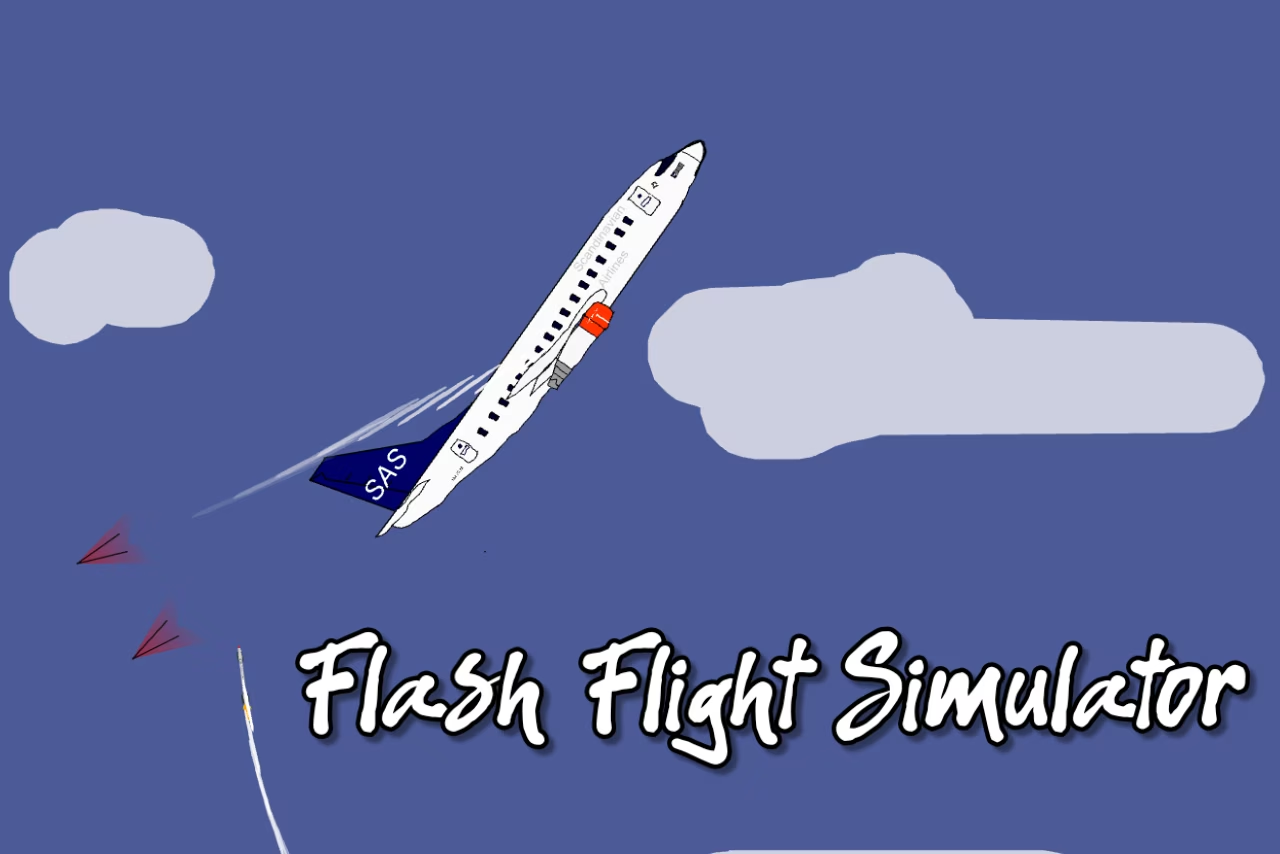
How to Play Flash Flight Simulator
Mastering the skies in the simulator requires a blend of fast decision-making, an understanding of aerodynamic physics, and sharp reaction times. Each round begins directly on the runway as your selected jet throttles up its engines, lifts its nose, and climbs into dynamic flight environments. Once airborne, factors like momentum, lift, drag, and shifting air pressure immediately influence your aircraft’s handling, demanding smooth, calculated adjustments.
Game Modes and Objectives
Depending on your preferred style of flight in Flash Flight Simulator, you can tackle the skies across two primary Flash Flight Simulator Game modes:
- Free Flight Mode: A relaxed the simulator exploration mode offering open skies, simple maneuver paths, and wide movement freedom supported by smooth physics for steady progression.
- Missile Evasion Mode: A survival-focused Flash Flight Simulator mode that pushes high-speed reactions as heat-seeking missiles track your plane while flares and evasive turns extend survival.
Regardless of which mode you select, winning conditions in the simulator depend on staying airborne until the objective timer ends or maintaining stable flight through long exploration runs. In Flash Flight Simulator, losing conditions occur once a crash, stall, or successful missile hit ends the round instantly. As speed rises and space narrows around incoming threats, managing altitude shifts and aircraft sensitivity becomes vital in the simulator.
Flight Controls
Navigating your airplane and managing movement in the simulator is handled through straightforward keyboard commands:
- Up Arrow: Accelerate
- Down Arrow: Flip Plane
- Left Arrow: Tilt Nose Up
- Right Arrow: Tilt Nose Down
- Space Bar: Deploy Flares to extend survival in the simulator
Tips & Strategies for Flash Flight Simulator
Surviving open skies and outlasting threats in Flash Flight Simulator requires precision, high-speed decision-making, and mastering physics-driven airplane movement. Use these actionable strategies to master your plane and stay airborne longer in the Flash Flight Simulator Game:
- Build Steady Momentum on Takeoff: When lifting off from the runway in the simulator, build momentum carefully. Use the Up Arrow to accelerate in Flash Flight Simulator and tap the Left Arrow to tilt the nose up. Over-angling the plane too early can cause drag to overwhelm lift in Flash Flight Simulator, triggering an immediate stall.
- Prevent Stalls During Steep Climbs: Shifting air pressure and physics impact handling in Flash Flight Simulator as you climb. If you tilt the nose up with the Left Arrow for too long without forward momentum, your plane loses lift in Flash Flight Simulator. Tilt the nose down with the Right Arrow periodically to maintain stable flight in Flash Flight Simulator.
- Time Flare Deployments Carefully: In Flash Flight Simulator Missile Evasion Mode, heat-seeking missiles track your plane. Do not panic and waste flares immediately; wait as threats close in before pressing the Space Bar to deploy flares and extend survival in Flash Flight Simulator.
- Utilize the Flip Maneuver for Tight Evasions: When tracking missiles pressure your plane in Flash Flight Simulator, press the Down Arrow to flip the plane. Executing evasive turns and flips helps extend survival during intense Flash Flight Simulator rounds.
- Hone Aircraft Sensitivity in Free Flight Mode: If you struggle with high-speed survival demands in Flash Flight Simulator, spend time in Free Flight Mode first. Use this exploration mode in Flash Flight Simulator to learn how momentum, lift, and drag shape movement before facing missile evasion challenges.
- Manage Speed During Sharp Turns: Adapting to sudden pacing changes during tight turns is crucial in Flash Flight Simulator. As speed rises, aircraft sensitivity increases, so regulate your acceleration in Flash Flight Simulator to avoid a sudden crash or stall.
FAQ about Flash Flight Simulator
What game modes can you play in Flash Flight Simulator?
Flash Flight Simulator features two primary game modes:
- Free Flight Mode: A relaxed exploration setting where you can navigate open skies, practice maneuvers, and enjoy smooth, physics-based flight progression.
- Missile Evasion Mode: A fast-paced survival challenge where you must avoid incoming heat-seeking missiles using rapid turns and defensive counter-tactics.
What are the controls for flying in Flash Flight Simulator?
The aircraft is operated using the keyboard arrow keys and space bar in Flash Flight Simulator:
- Up Arrow: Accelerate
- Down Arrow: Flip Plane
- Left Arrow: Tilt Nose Up
- Right Arrow: Tilt Nose Down
- Space Bar: Deploy Flares
How do you avoid incoming threats in Flash Flight Simulator Missile Evasion Mode?
To survive incoming heat-seeking missiles in Flash Flight Simulator, rely on high-speed reactions, execute evasive turns, and press the Space Bar to deploy flares that extend survival while heat-seeking missiles track your plane.
What are the winning and losing conditions in Flash Flight Simulator?
Winning depends on maintaining stable flight during long exploration sessions or staying airborne until the objective timer runs out. A round ends instantly in defeat if your aircraft stalls, crashes into the environment, or takes a direct hit from a missile.
Does Flash Flight Simulator feature realistic flight physics?
Yes. The simulation incorporates physics-driven airplane movement where lift, drag, momentum, and air pressure directly influence how your jet handles, climbs, and responds to tight maneuvers.
Where to play Flash Flight Simulator?
You can play Flash Flight Simulator online at fire-flush.com. Open the site in your browser and start playing right away.